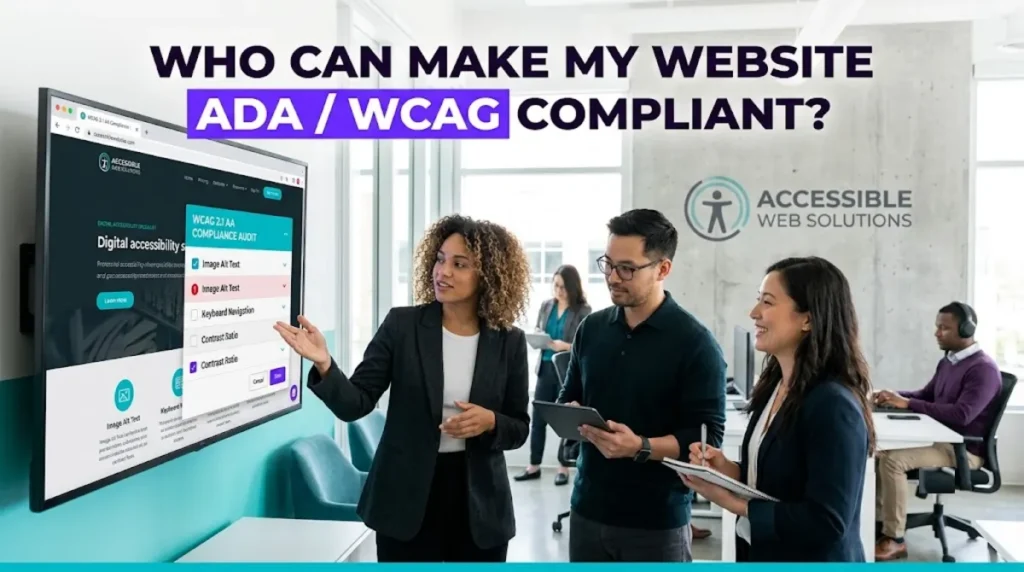
- ADA compliance for a website means meeting the WCAG technical standard, currently WCAG 2.1 AA as the legal benchmark, with 2.2 AA as best practice.
- Hire an accessibility specialist or a developer experienced in remediation, not an overlay widget vendor, because overlays do not fix the underlying code.
- Overlays can actually raise your legal risk. In 2025 roughly a third of accessibility lawsuits targeted sites that had one installed.
- Real compliance work is an automated scan, expert manual testing, source-code remediation, an accessibility statement, and ongoing monitoring.
- Remediation typically costs $2,000 to $10,000 for a small business site in 2026, far less than a lawsuit.
ADA compliance for your website means hiring an accessibility specialist or a developer experienced in remediation who fixes your actual source code, not an overlay widget that merely sits on top of it. Real compliance means meeting the WCAG technical standard, and it is the only approach that genuinely helps disabled users and holds up if you are ever challenged.
This is one area where the wrong quick fix is worse than doing nothing, so it is worth understanding before you spend a cent. This guide explains what ADA and WCAG compliance actually require, why the popular one-click widgets are a trap, who to hire to do it properly, and what it costs in 2026. It is practical guidance on ADA compliance, not legal advice, but it will help you spend on the right solution and avoid the expensive wrong one.
What ADA Compliance and WCAG Actually Mean
ADA compliance for a website means your site is usable by people with disabilities, and the standard courts use to measure that is WCAG, the Web Content Accessibility Guidelines. In practice, WCAG 2.1 Level AA is the current legal benchmark, and WCAG 2.2 Level AA is best practice.
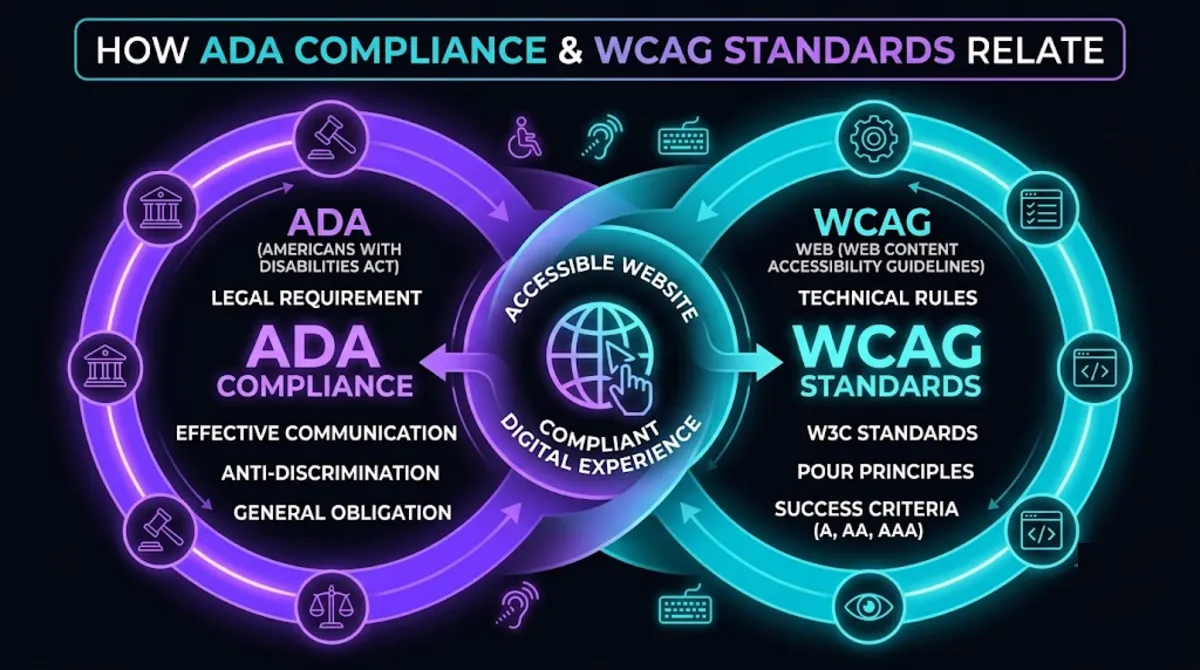
The two terms work together, and it helps to keep them straight:
- The ADA is the Americans with Disabilities Act, the US law. It does not contain technical web rules itself, but courts apply it to websites.
- WCAG is the technical standard, published by the W3C, that defines what an accessible website looks like in practice.
- The link between them: the Department of Justice and courts consistently point to WCAG 2.1 AA as the benchmark for whether a site meets the ADA.
In plain terms, that means things like text that screen readers can read, full keyboard navigation, sufficient colour contrast, labelled form fields, captions on video, and clear structure. The Department of Justice guidance on web accessibility confirms these obligations apply broadly to businesses serving the public. ADA compliance is not a badge you buy; it is a set of measurable qualities your site either has or does not.
Pro tip: When anyone promises “instant ADA compliance,” treat it as a red flag. Real compliance is measured against dozens of WCAG success criteria, and none of them are satisfied instantly.
Understanding the standard matters, because the legal pressure to meet it has never been higher.
Why It Matters More Than Ever in 2026
ADA compliance matters more than ever because lawsuits have surged while most sites remain non-compliant, making an inaccessible website both a moral and a financial liability. It is also simply the right thing to do, and it happens to improve SEO and usability for everyone.
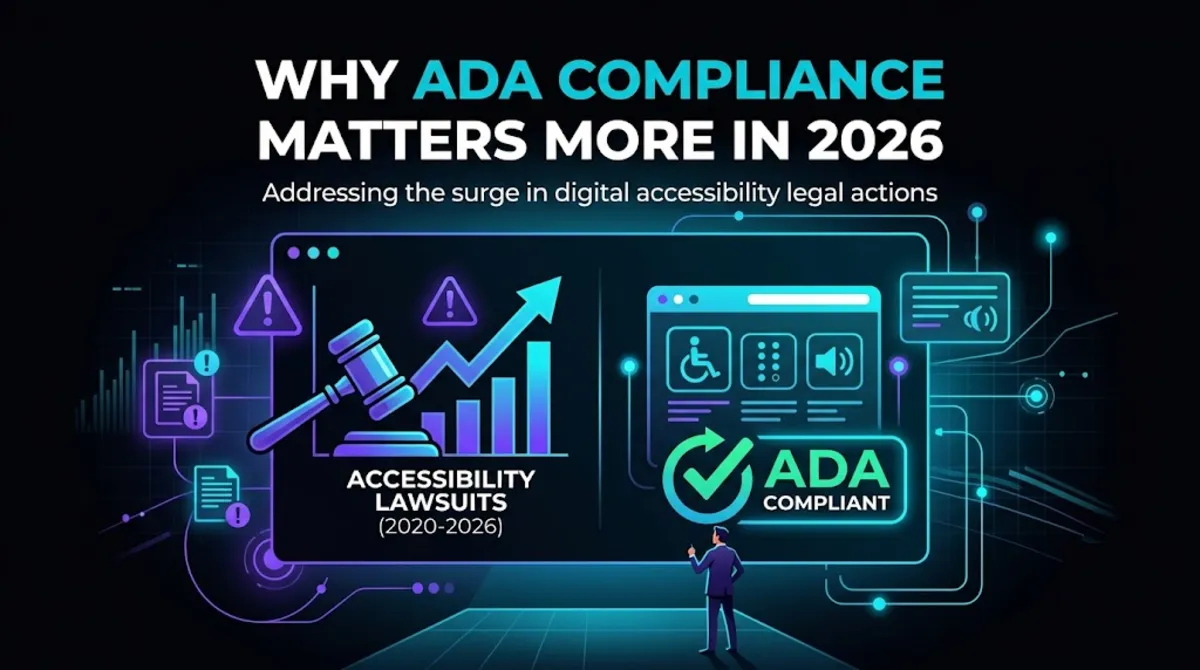
The numbers tell the story. According to the WebAIM Million, the largest annual audit of the web, 95.9% of the top one million home pages had detectable WCAG failures, with an average of 56 errors per page. At the same time, more than 5,000 digital accessibility lawsuits were filed across US courts in 2025. Non-compliance is the norm, which is precisely what makes it a target for demand letters.
Beyond the legal exposure, there is a genuine upside to getting this right. An accessible site reaches the roughly one in four adults who live with a disability, works better for everyone on mobile and in bright sunlight, and tends to rank better, because much of what WCAG asks for, such as clean structure, alt text, and proper headings, is also what search engines reward. Done well, ADA compliance is not just risk reduction; it is a better website.
Which brings us to the single most important thing to understand before you spend any money.
The Overlay Trap: Why Quick Fixes Backfire
Accessibility overlay widgets, the one-line scripts that promise instant ADA compliance, do not actually deliver ADA compliance, and they can increase your legal risk rather than reduce it. They sit on top of your site without fixing the underlying code that assistive technology reads.
This matters enormously, because overlays are marketed hard to exactly the frightened business owners this article is for. Here is what the evidence actually shows:
- They do not fix the source code. The barriers in your HTML remain, so screen-reader and keyboard users still hit them.
- They are a lawsuit magnet. In 2025, roughly a third of accessibility lawsuits involved sites that had an overlay installed, because the widget signals non-compliance.
- Regulators have acted. In April 2025, the FTC fined a major overlay vendor $1 million for falsely claiming its tool could make any website WCAG compliant.
- Courts do not accept them. Settlements require actual WCAG conformance, not a widget, so you end up paying for real remediation anyway.
The takeaway is simple: an overlay is not a shield, it is a target with a subscription fee. The money is better spent once, on the real code fixes that ADA compliance requires. This is exactly why hiring the right kind of help matters so much.
Pro tip: If a vendor’s pitch is a single line of JavaScript and a monthly fee, walk away. Genuine accessibility work changes your site’s code and content; it cannot be bolted on from the outside.
So if not an overlay, who should you actually call?
Who to Hire to Make Your Site Compliant
For genuine ADA compliance, hire a dedicated accessibility specialist or a web developer with real WCAG remediation experience, rather than an overlay vendor or a general developer who has never done accessibility work. This is a specialised skill, and doing it properly requires both testing expertise and hands-on code fixes.
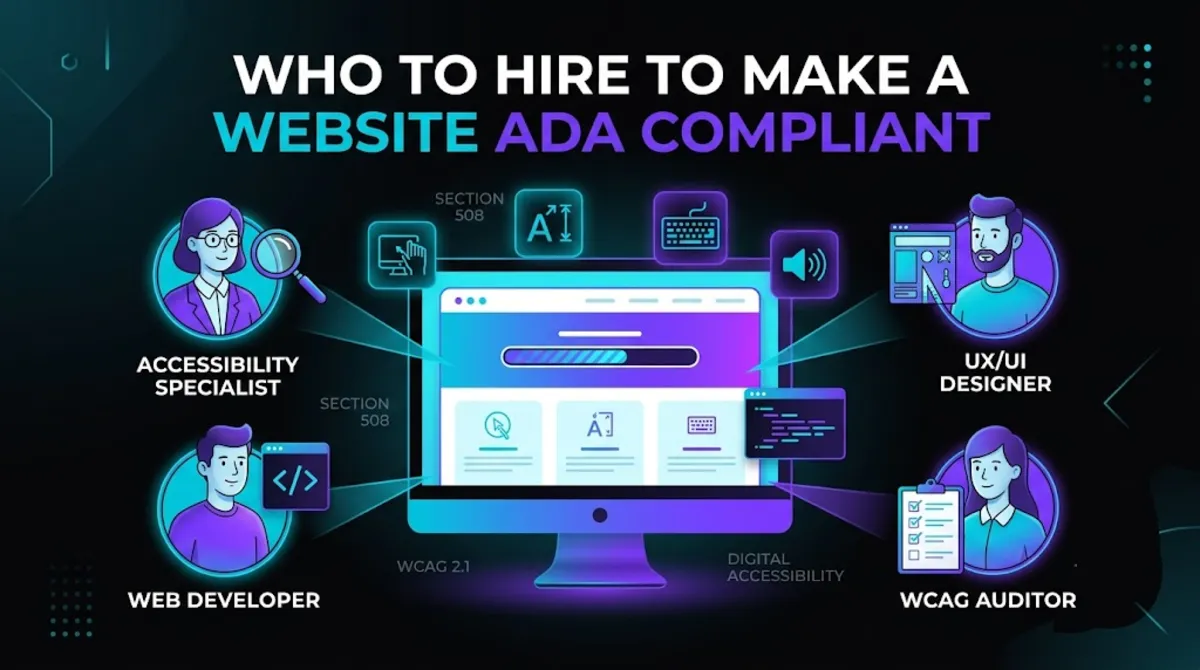
Your realistic options differ sharply in what they deliver. An overlay vendor sells a subscription that does not fix the problem, as covered above. A general web developer may be willing but often lacks accessibility training, so subtle WCAG failures get missed. A dedicated accessibility consultancy offers deep expertise, sometimes at enterprise prices.
A studio or developer with genuine accessibility and WCAG compliance experience is the practical sweet spot for most businesses: they audit properly, fix the actual code, and build ADA compliance into future work rather than bolting it on.
Because accessibility overlaps heavily with design and technical health, it is worth choosing someone who also understands UI and UX design and can run a proper technical audit, since accessible structure and clean code reinforce each other. Our broader guide on who to hire to work on a WordPress site covers the general vetting framework that applies here too.
Need your site made genuinely compliant?
We audit against WCAG, fix the real code, not a widget, and give you an accessibility statement you can stand behind. Talk to us about compliance.
Once you know who to hire, it helps to know what a proper job actually looks like.
What Real Compliance Work Involves
Real ADA compliance work involves an automated scan to find obvious issues, expert manual testing with screen readers and keyboard navigation, hands-on remediation of your source code, an accessibility statement, and ongoing monitoring so the site stays compliant as it changes.
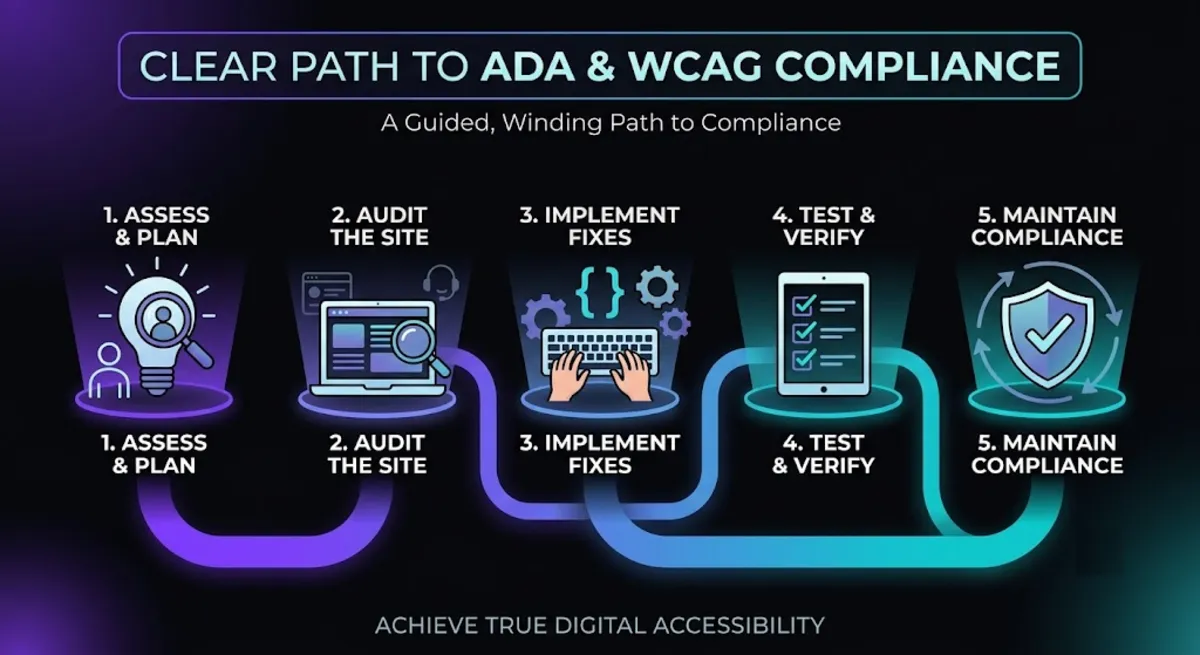
A thorough compliance project runs through these stages:
- Automated scan. Tools quickly surface common failures, but they catch only a portion of real-world issues, often well under half.
- Manual expert testing. A specialist navigates your site with a screen reader and keyboard only, the way many disabled users do, to find what tools miss.
- Source-code remediation. The actual fixes: alt text, form labels, focus states, ARIA where needed, contrast, and keyboard support, all in your real code.
- Accessibility statement. A public statement documenting your conformance and your commitment, which also demonstrates good faith.
- Ongoing monitoring. Since every new page or plugin can introduce issues, monitoring keeps you compliant over time.
The manual testing step is what separates real ADA compliance from a false sense of security. Automated scanners are useful, but they detect only a minority of WCAG issues; the rest require a human who understands how assistive technology actually behaves. Any provider relying on scans alone is giving you a partial answer at best.
Pro tip: Ask a candidate, “Do you test manually with a screen reader and keyboard?” If the whole process is an automated report, they will miss the majority of issues that actually get sites sued.
With the work understood, the practical question is what all of this costs.
What ADA Compliance Costs in 2026
Achieving ADA compliance for a small business website typically costs $2,000 to $10,000 for remediation in 2026, with mid-sized sites running $10,000 to $50,000, plus modest ongoing monitoring. That is far cheaper than being sued with no prior effort, which commonly runs $25,000 to $100,000 or more.
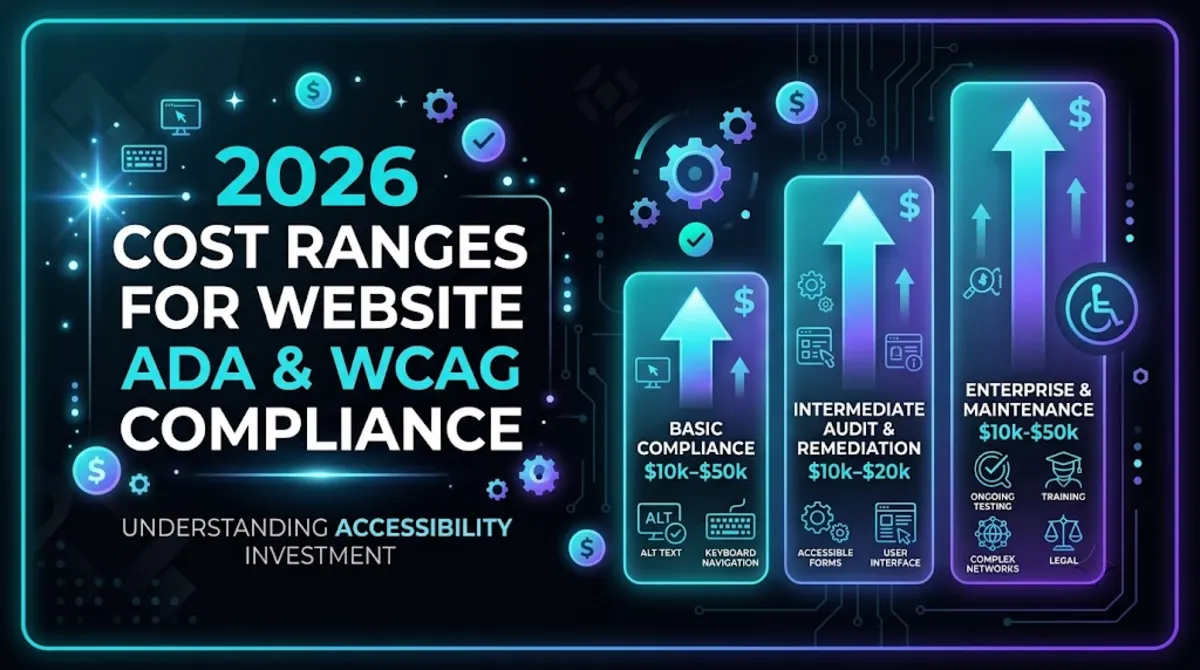
Here is roughly what to expect in 2026:
- Small site, minor issues: $0–$2,000, sometimes achievable by fixing content-level issues with expert guidance.
- Small site, significant issues: $2,000–$10,000 remediation, plus low monthly monitoring.
- Mid-sized site: $10,000–$50,000, depending on page count and complexity.
- Sued with no prior effort: $25,000–$100,000+, in settlement, legal fees, and rushed remediation combined.
There is a genuine bright side on cost. Proactive ADA compliance is almost always cheaper than reactive, and small US businesses may be able to offset part of the expense through the Disabled Access Credit, which can cover up to $5,000 a year of eligible accessibility spending. Check with your accountant, but it can meaningfully reduce the real cost. You can see transparent numbers for accessibility work on our pricing page.
Want a real quote to make your site compliant?
We assess your site against WCAG first, then give you a clear remediation plan and fixed price. Get a compliance quote.
Before you hire, a few checks confirm a provider will do this properly rather than superficially.
6 Checks Before You Hire for ADA Compliance
Before you hire anyone for ADA compliance, run these six checks. ADA compliance is easy to fake with an automated report, so these questions separate a genuine specialist from a box-ticker or an overlay reseller.
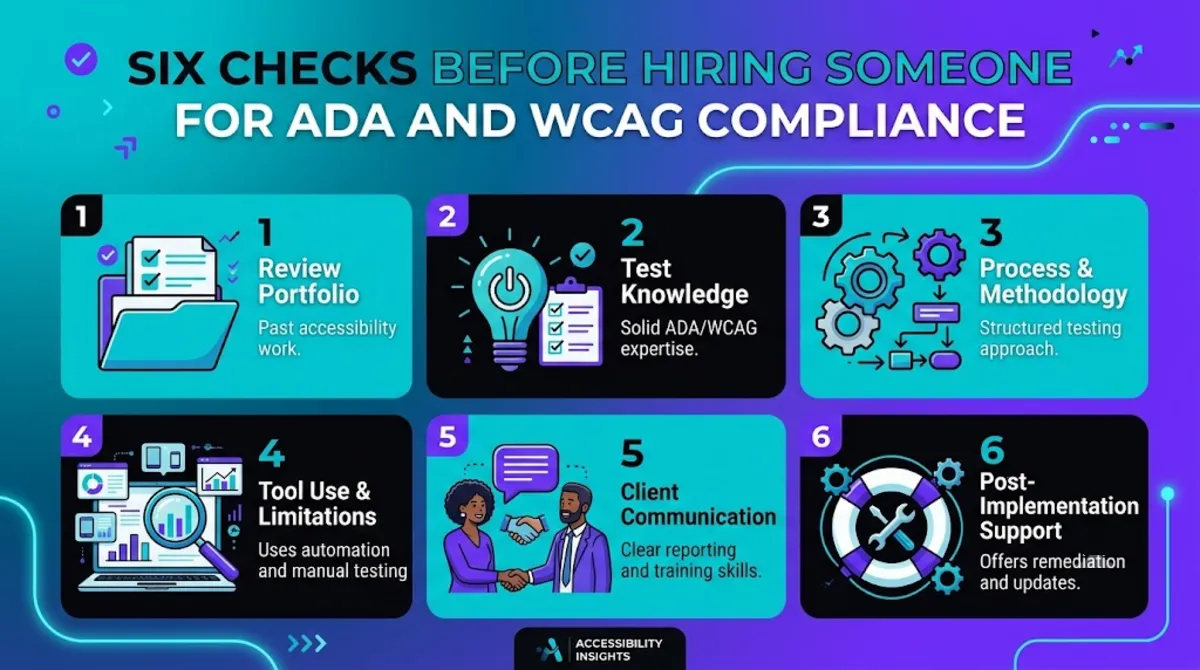
- They fix code, not overlays. Confirm they remediate your actual source code and do not resell a widget subscription.
- They test manually. A real specialist uses screen readers and keyboard testing, not just an automated scanner.
- They target WCAG 2.1 or 2.2 AA. They should name the standard they work to without hesitation.
- They provide an accessibility statement. A documented conformance statement is part of a proper job and shows good faith.
- They offer ongoing monitoring. Compliance drifts as your site changes, so a plan to maintain it matters.
- They can show past accessibility work. Ask for examples or references from real remediation projects, not just general web work.
These checks work because genuine accessibility expertise is visible in the details. A specialist talks fluently about screen readers, keyboard traps, and WCAG success criteria. A reseller talks about a widget and a monthly fee.
Pro tip: Ask, “After you finish, if I add a new page that breaks accessibility, how do we catch it?” A real specialist has an answer about testing and monitoring. It signals they understand compliance is ongoing.
Get those right, and ADA compliance becomes a sound investment that protects your business and serves more customers.
Ready to make your website genuinely accessible?
Send us your URL. We will audit it against WCAG, fix the real code, and give you a statement you can stand behind, no overlays. Start the conversation.
Frequently Asked Questions
Who can make my website ADA / WCAG compliant?
Hire a dedicated accessibility specialist or a developer with real WCAG remediation experience, not an overlay widget vendor. They will audit your site against WCAG, test manually with screen readers and keyboard, fix the actual source code, and provide an accessibility statement. Avoid anyone promising instant compliance from a single line of JavaScript, since that does not fix the underlying barriers.
Do accessibility overlay widgets make my site ADA compliant?
No. Overlays sit on top of your site without fixing the underlying code, so barriers remain for screen-reader and keyboard users. They can also increase legal risk: in 2025 roughly a third of accessibility lawsuits targeted sites using an overlay, and the FTC fined a major overlay vendor $1 million for deceptive compliance claims. Real remediation is the only reliable path.
What standard do I need to meet for ADA compliance?
WCAG, the Web Content Accessibility Guidelines. WCAG 2.1 Level AA is the current legal benchmark that the Department of Justice and courts reference, and WCAG 2.2 Level AA is best practice. Meeting WCAG 2.1 AA covers things like keyboard access, colour contrast, alt text, labelled forms, and captions.
How much does it cost to make a website ADA compliant?
For a small business site, remediation typically costs $2,000 to $10,000 in 2026, while mid-sized sites run $10,000 to $50,000, plus modest ongoing monitoring. Being sued with no prior effort commonly costs $25,000 to $100,000 or more, so proactive compliance is far cheaper. US small businesses may offset some cost through the Disabled Access Credit.
Is my business legally required to have an accessible website?
If your business serves the public, courts increasingly treat your website as covered by the ADA, using WCAG as the standard. Government sites face explicit deadlines, and private businesses face lawsuits and demand letters. This is general information, not legal advice, so consult an attorney about your specific situation, but for most public-facing businesses the practical answer is yes.
Can I make my website accessible myself?
You can fix some content-level issues yourself, such as adding alt text, labelling forms, and improving link text, especially with an automated scan as a guide. But deeper issues like keyboard navigation, focus management, and ARIA usually need a developer, and confirming real compliance requires manual testing. A hybrid approach is often the most cost-effective.
How long does it take to make a site compliant?
A small site with minor issues can be remediated in a couple of weeks, while a larger or more complex site may take one to three months. The timeline depends on the number of pages, the severity of the issues, and whether accessibility is being retrofitted or built in. Manual testing and fixes take the most time.
Conclusion
When you are asking who can make your website ADA and WCAG compliant, the answer is an accessibility specialist or an experienced developer who fixes your real source code, never an overlay widget that leaves the barriers in place and raises your legal risk. Understand that WCAG 2.1 AA is the standard, insist on manual testing alongside automated scans, and treat ADA compliance as ongoing rather than a one-time badge.
Do it properly and you get three wins at once: a site that serves disabled customers, real protection against a costly lawsuit, and better usability and SEO for everyone. Start with a genuine audit rather than a quick fix, and you will be spending your money on the one thing that actually works.
Ready to do accessibility the right way?
Bring us your site. We will audit it against WCAG, remediate the real code, and give you an accessibility statement you can stand behind. Get started today.
This article is general information, not legal advice. It was last reviewed and updated in {{UPDATED}} to reflect current 2026 ADA and WCAG accessibility standards, costs, and best practices.