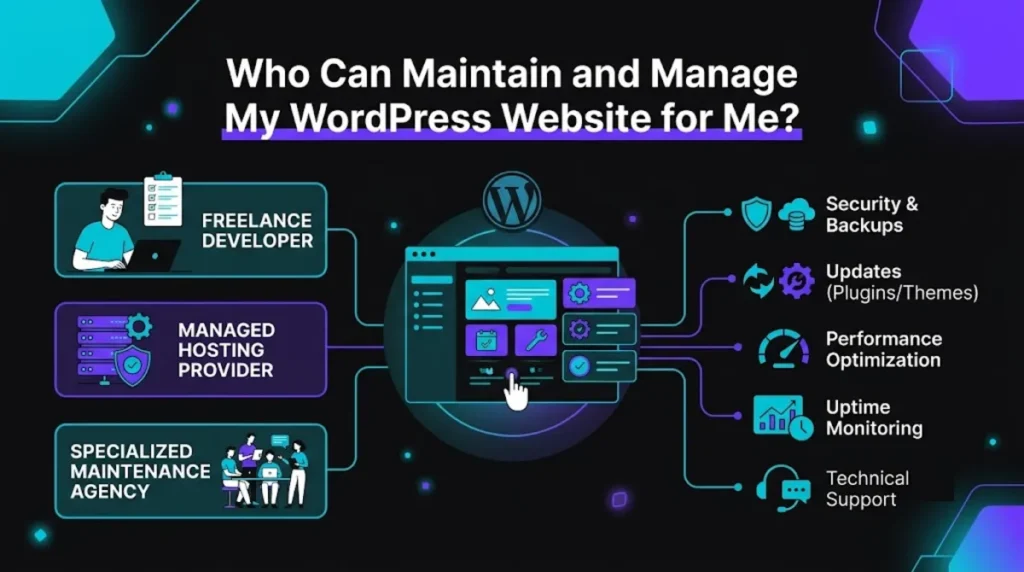
- WordPress maintenance means keeping your site updated, backed up, secure, monitored, and performing well, plus support when you need a change.
- Hire a maintenance provider or a developer who offers a care plan, rather than leaving updates to chance, because neglect is what causes most hacks and breakages.
- The term is used loosely, so confirm exactly what a plan covers before you buy: some mean “update plugins,” others mean full monitoring and support.
- A small business plan typically costs $150 to $400 a month in 2026, far less than a single emergency repair or hack cleanup.
- The best question to ask any provider is what happens, and what it costs, if your site is hacked or goes down tomorrow.
To maintain and manage your WordPress website, hire a dedicated maintenance provider or a developer who offers an ongoing care plan covering updates, backups, security, monitoring, and support. WordPress maintenance is not a one-time task; it is continuous care that keeps your site secure, fast, and online, and prevents the expensive problems that neglect quietly creates.
Here is the mindset shift that helps: a website is more like a car than a painting. Left alone, it does not simply stay as it was; it drifts out of date, accumulates security holes, and eventually breaks. This guide explains what proper WordPress maintenance covers, what neglecting it really costs, who to hire to handle it, what a good plan includes, and what you should expect to pay in 2026.
What WordPress Maintenance Actually Includes
WordPress maintenance includes updating core, themes, and plugins safely, taking regular backups, monitoring security and uptime, optimising performance, and providing support for changes and fixes. Real maintenance is proactive care, not just clicking “update” once in a while.
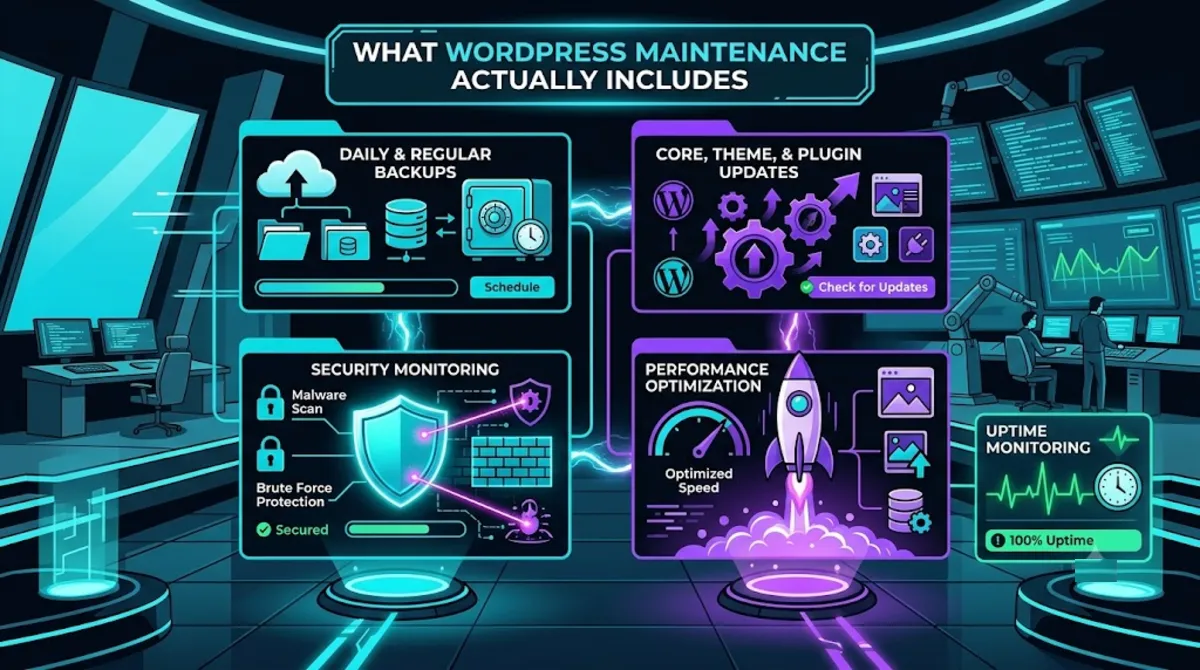
A complete maintenance service typically covers these areas:
- Updates, tested first. Core, theme, and plugin updates applied on a schedule and checked on staging, following WordPress’s recommended update practice, so an update never silently breaks your site.
- Regular backups. Automated, offsite backups, in line with WordPress’s backup guidance, so any problem becomes a quick restore rather than a disaster.
- Security monitoring. Malware scanning, login hardening, and watching for suspicious activity before it becomes a breach.
- Uptime monitoring. Alerts the moment your site goes down, so it is noticed and fixed fast, not by a customer.
- Performance care. Keeping speed healthy as content and plugins accumulate over time.
- Support and small edits. A person to handle the changes and fixes you do not want to do yourself.
The important thing to know is that not every provider means all of this. As one 2026 maintenance guide notes, the phrase gets used loosely: some providers mean they will update your plugins once a month, while others include monitoring, optimisation, and support. Before you sign anything, you need to know which version you are buying.
Pro tip: Ask for the plan’s task list in writing. “Maintenance” with no itemised scope usually means the bare minimum, billed as if it were the full service.
To see why all of this is worth paying for, it helps to look at what happens when it is skipped.
The Real Cost of Neglecting It
Neglecting WordPress maintenance is what causes most hacks, crashes, and slowdowns, because outdated plugins and themes are the leading way attackers get in and the leading cause of sites breaking. The monthly cost of maintenance is almost always smaller than the cost of a single emergency it prevents.
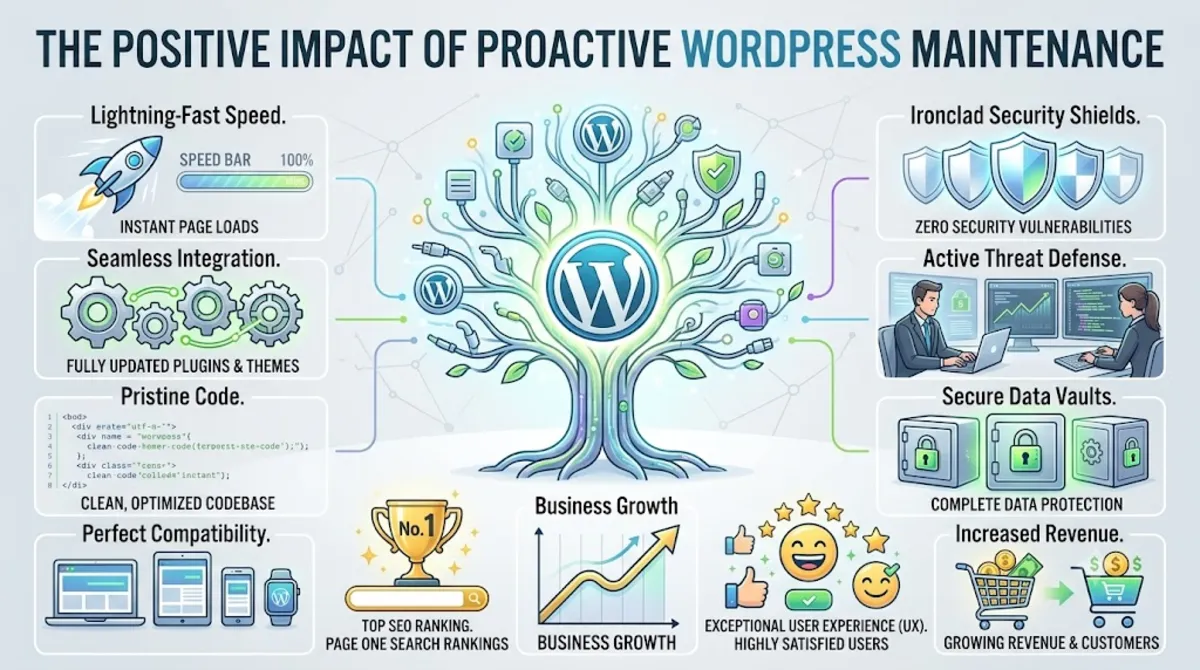
The risks of an unmaintained site are concrete, not hypothetical. Outdated software is the single biggest vulnerability: according to WordPress’s own security hardening guidance, keeping core, themes, and plugins current is a foundational defence, and most successful attacks exploit sites that failed to do it. An unmaintained site also tends to slow down as plugins pile up, and a single bad, untested update can take it offline with no backup to fall back on.
These are not separate problems; they are the exact issues our other guides address after the fact. A neglected site is how you end up needing security recovery after a hack or speed optimization after a slowdown. Maintenance is simply paying a little to prevent both, instead of paying a lot to fix them.
Given the stakes, the natural question is whether you can just handle it yourself.
WordPress Maintenance: DIY or Hire Someone?
You can manage WordPress maintenance yourself if you are comfortable with updates, backups, and security, and your site is simple and not critical to your income. If your site earns you money or you would rather not spend time on technical upkeep, hiring a provider is the smarter choice.
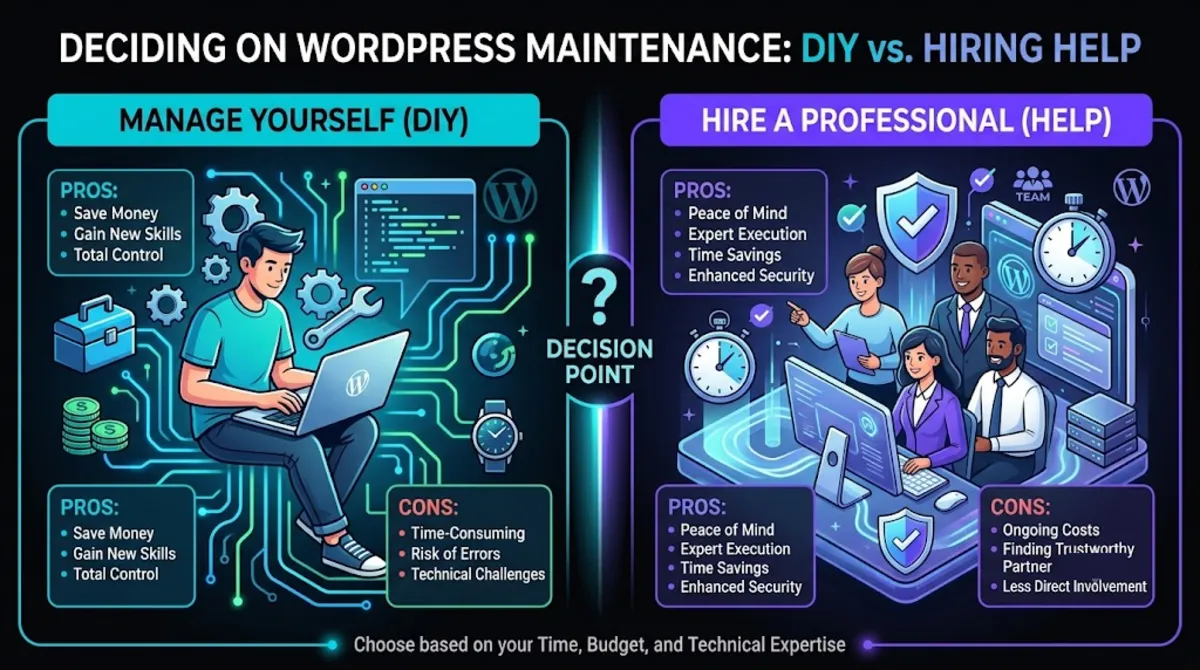
Doing it yourself is genuinely possible, but be honest about the real cost. The infrastructure is cheap; the expense is your time and your risk. Running tested updates, monitoring security, managing backups, and troubleshooting whatever breaks all take hours you could spend on your business, and one mistake, such as an untested update with no backup, can be costly to undo. For a hobby site, that trade can be fine. For a site that generates leads or sales, it rarely is.
The middle path many owners miss is that hiring WordPress maintenance does not mean handing over everything. A good provider takes the risky, technical, time-consuming parts off your plate while leaving you in control of your content. You stop worrying about updates and backups; they stop being your problem.
Pro tip: Add up the hours you spend each month on updates, fixes, and worrying about your site. If that time is worth more than a maintenance plan, outsourcing pays for itself immediately.
If hiring makes sense, the next question is what kind of provider fits your site.
Who to Hire: Freelancer, Agency, or Care Plan?
To maintain your WordPress website, you can hire a freelancer, an agency, or a developer offering a dedicated care plan. For most businesses, a provider with a clear, structured care plan, whether an individual or a small studio, offers the best mix of expertise, accountability, and value.
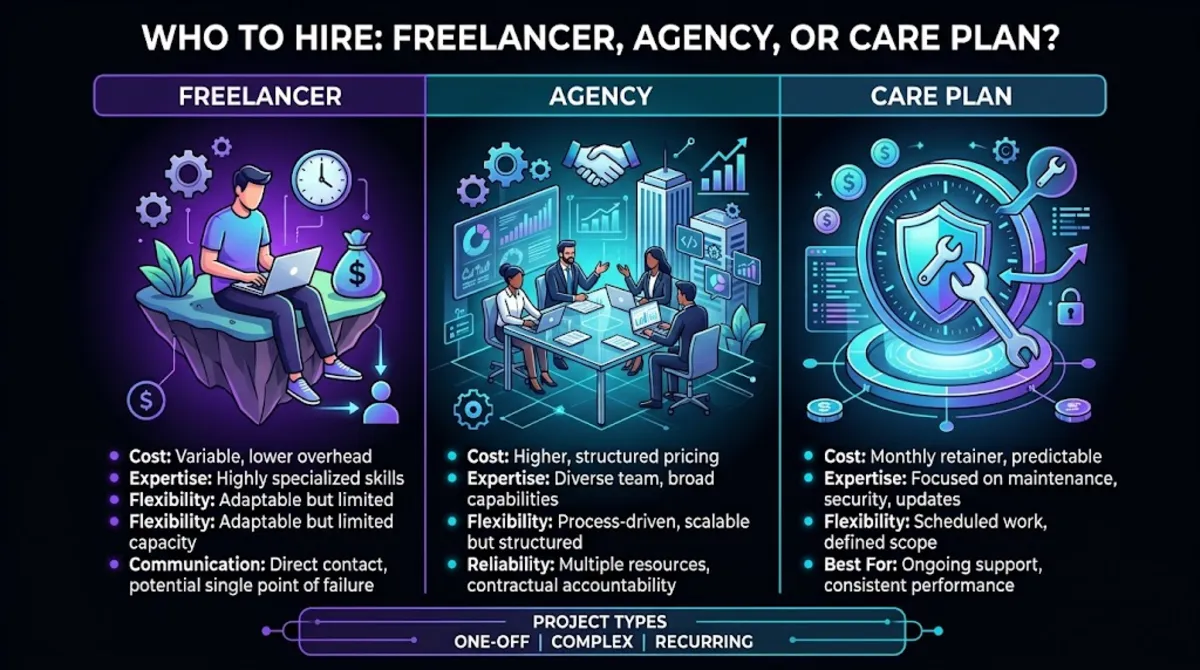
Each option has trade-offs. A lone freelancer can be affordable and personal, but is a single point of failure if they get busy or disappear. A large agency brings a team and processes, but at a price that can include overhead you may not need. A developer or small studio with a genuine WordPress maintenance and support plan often sits in the sweet spot: real expertise, direct communication, and a written scope you can hold them to.
A strong option many people overlook is the developer who originally built or now manages your site, since they already understand its code, especially if it uses custom development. Choosing a provider who knows your specific setup, rather than one running generic update scripts across hundreds of sites, is closely tied to hiring well in general, which our guide on who to hire to work on a WordPress site covers in depth.
Want your site quietly looked after every month?
We handle updates, backups, security, monitoring, and support, so your WordPress site stays fast, safe, and online. Ask about our care plans.
Whichever type you choose, the plan itself has to contain the right things.
7 Things a Good Maintenance Plan Must Include
A good WordPress maintenance plan must include tested updates, regular offsite backups, security monitoring, uptime monitoring, performance care, support hours, and clear reporting. If any of these is missing, you are buying a partial service dressed up as a complete one.
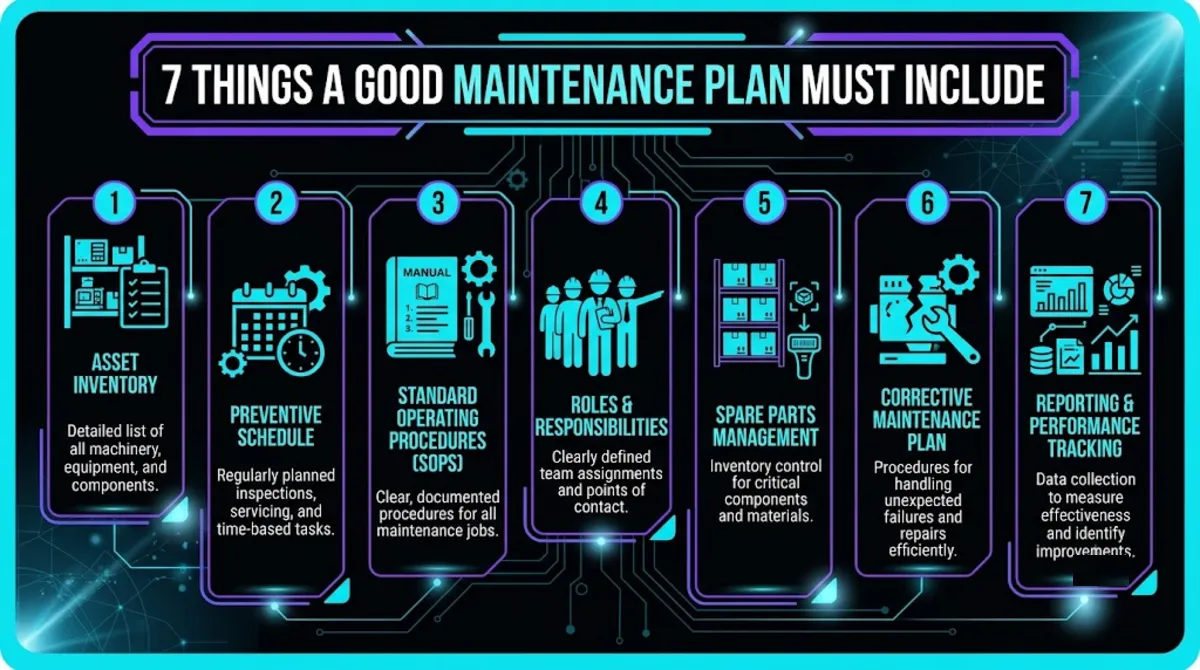
- Staging-tested updates. Updates checked on a copy first, with a rollback if anything breaks, not applied blindly to your live site.
- Regular offsite backups. Automated backups stored away from your server, tested so they actually restore.
- Security monitoring. Malware scanning, login hardening, and alerts for suspicious activity.
- Uptime monitoring. Immediate alerts if the site goes down, with someone responsible for acting on them.
- Performance care. Ongoing attention to speed, so the site does not slowly degrade.
- Support hours. Included time each month for the small edits and fixes you need, without a fresh quote every time.
- Clear reporting. A regular summary of what was done, so you can see the value you are paying for.
That last point matters more than it seems. Good WordPress maintenance is largely invisible when it works, so reporting is how you know it is happening at all. A provider who sends a monthly summary of updates applied, backups taken, and issues caught is giving you proof, not just a promise.
Pro tip: Look for a plan with a few included support hours built in. Plans with zero included time push every small request into hourly billing, which quietly adds up faster than a slightly higher flat fee.
With the right scope defined, you can weigh what it should reasonably cost.
What WordPress Maintenance Costs in 2026
WordPress maintenance typically costs $30 to $75 a month for a basic plan, $150 to $400 for a standard small-business plan, and $400 to $1,000 or more for full-service care in 2026. E-commerce and complex sites cost more because they carry more risk and need closer attention.
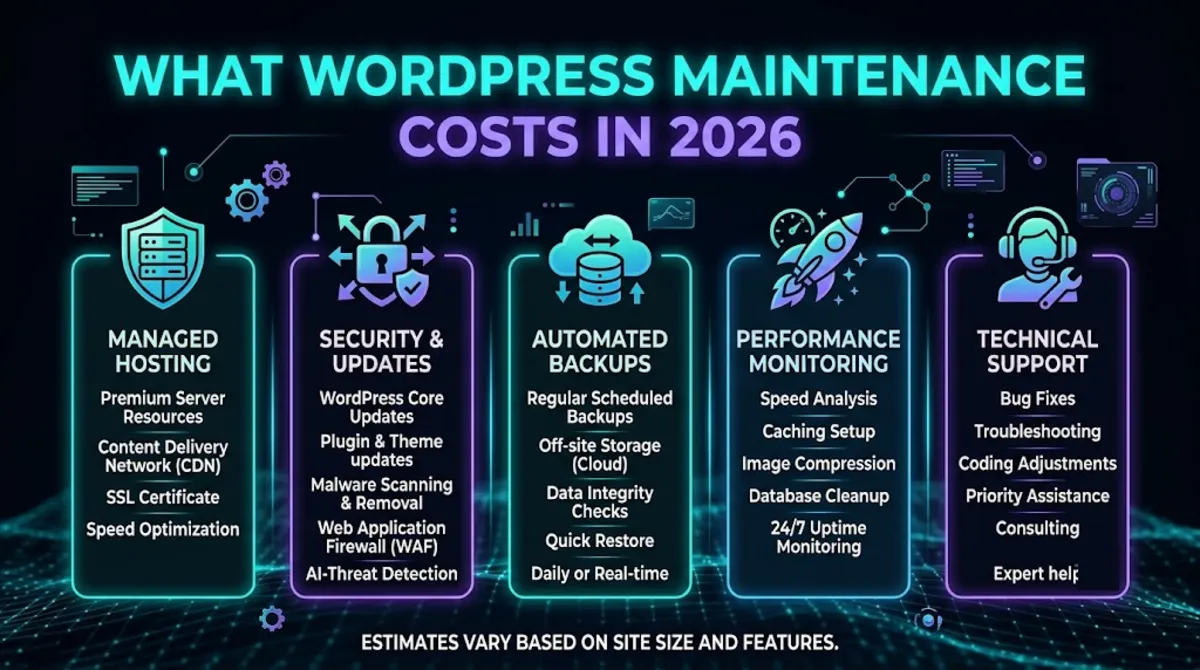
Here is roughly what each tier buys in 2026:
- Basic: $30–$75/month. Light updates, basic backups, and occasional plugin housekeeping, suitable for simple, low-stakes sites.
- Standard (small business): $150–$400/month. Tested updates, monitoring, backups, and some support hours. The right fit for most business sites.
- Full-service: $400–$1,000+/month. Priority support, performance optimisation, and content edits for sites where downtime costs real money.
- E-commerce or complex: $1,000+/month, reflecting the extra risk of checkout, inventory, and custom code.
One honest note on scope: standard maintenance covers the technical health of your site, not SEO or content marketing, which are separate services. If a maintenance quote bundles in SEO, ask for the line items so you can judge each on its merits. Beyond the plan itself, remember that hosting and domains are separate recurring costs. You can see transparent numbers for ongoing care on our pricing page.
Want a clear monthly price to look after your site?
Tell us about your site and we will recommend the right level of care, with everything itemised, no vague “maintenance.” Get a care plan quote.
Before you commit to any provider, a few warning signs are worth checking for.
Red Flags and Questions to Ask
The clearest red flag in a WordPress maintenance provider is a vague scope, no mention of tested updates or backups, and no answer for what happens in an emergency. Good WordPress maintenance is specific and provable; anything vague usually means less is being done than you think.
Watch for these warning signs, and ask the questions that expose them:
- A vague, unitemised scope. If they cannot list exactly what is included, assume it is the minimum. Ask for the task list in writing.
- No staging or rollback. If updates go straight to your live site, one bad update can break it. Ask how they test updates.
- No emergency answer. If they cannot tell you what a hack or outage costs to fix, you are unprotected. Ask what is and is not included.
- No reporting. If you never see what was done, you cannot know it is happening. Ask for a monthly summary.
- Zero included support. If every small request is billed hourly, costs creep. Ask how many support hours are included.
Ask those questions, insist on specifics, and you will easily tell a real care plan from a thin one. Use the quick tool below to see which level of maintenance your site needs.
Ready to stop worrying about your website?
Hand us the updates, backups, security, and monitoring. You get a fast, safe, always-online site and a person to call. Start the conversation.
Frequently Asked Questions
Who can maintain and manage my WordPress website for me?
Hire a dedicated maintenance provider or a developer who offers a care plan covering updates, backups, security, monitoring, and support. For most businesses, a provider with a clear, itemised plan, whether an individual or a small studio, offers the best mix of expertise and value. Choosing someone who knows your specific site, rather than running generic scripts, gives the most reliable results.
What does WordPress maintenance include?
A complete WordPress maintenance service includes tested core, theme, and plugin updates, regular offsite backups, security and uptime monitoring, performance care, and support for small changes and fixes. Be aware that some providers use “maintenance” to mean only monthly plugin updates, so always confirm the full scope in writing before you commit.
How much does WordPress maintenance cost in 2026?
Basic plans run $30 to $75 a month, standard small-business plans $150 to $400, and full-service plans $400 to $1,000 or more, with e-commerce and complex sites costing more. The right plan depends on how important your site is to your income and how much risk you can tolerate, not simply on finding the cheapest option.
Can I maintain my WordPress site myself?
Yes, if you are comfortable with updates, backups, and security, and your site is simple and not critical to your income. The infrastructure is inexpensive; the real cost is your time and the risk of a mistake, like an untested update with no backup. For a revenue-generating site, hiring a provider is usually the smarter, safer choice.
Why is WordPress maintenance important?
Because an unmaintained site drifts out of date, slows down, and becomes vulnerable. Outdated plugins and themes are the leading cause of both hacks and breakages, so regular tested updates, backups, and monitoring prevent the expensive emergencies that neglect creates. The monthly cost of maintenance is almost always less than a single hack cleanup or emergency repair.
Does WordPress maintenance include SEO?
Usually not. Standard maintenance covers the technical health of your site, including updates, backups, security, and performance, while SEO and content marketing are separate services with their own pricing. Some providers bundle them into a broader retainer, but if a maintenance quote includes SEO, ask for the line items so you can evaluate each service on its own.
What should I ask a maintenance provider before hiring?
Ask for the full task list in writing, how they test updates before applying them, what backups they take and how often, and, most importantly, what happens and what it costs if your site is hacked or goes down. A provider who answers all of these clearly, with itemised scope and reporting, is one you can trust with your site.
Conclusion
When you want someone to maintain and manage your WordPress website, the answer is a provider or developer offering a clear, itemised care plan, not a vague promise to “keep it updated.” Real WordPress maintenance covers tested updates, backups, security, monitoring, performance, and support, and it exists to prevent the hacks, crashes, and slowdowns that neglect reliably causes.
Confirm exactly what a plan includes, ask what happens in an emergency, and match the level of care to how much your site matters to your business. Do that, and WordPress maintenance stops being an expense you resent and becomes the quiet insurance that keeps your site fast, safe, and online while you get on with running your business.
Ready to hand off the upkeep for good?
Tell us about your site and we will look after the updates, backups, security, and monitoring, all itemised, all reported. Get started today.
This article was last reviewed and updated in {{UPDATED}} to reflect current 2026 WordPress maintenance costs, best practices, and care-plan standards.