- To recommend a WooCommerce developer for your online store, look for e-commerce specialists, not general WordPress developers, because stores fail on checkout, speed, and security.
- A basic WooCommerce store costs $3,000 to $8,000 in 2026, a custom store $8,000 to $25,000+, plus ongoing hosting and maintenance.
- Cart abandonment averages around 70%, so a developer’s real job is a fast, frictionless checkout, not just a pretty catalog.
- Vet on live stores you can actually buy from, checkout and payment experience, mobile speed, and a clear post-launch support plan.
- For most stores, a senior independent developer or small studio offers the best balance of expertise, accountability, and cost.
To build your online store well, you want a WooCommerce developer who specialises in e-commerce, not a general WordPress developer who builds stores occasionally. A store lives or dies on checkout, speed, payments, and security, and those are exactly the areas where a specialist earns their fee and a generalist quietly costs you sales.
WooCommerce is the natural choice for that store. According to WooCommerce, it is one of the most widely used e-commerce platforms in the world, powering roughly a third of all online stores, which means a deep pool of developers, extensions, and long-term support.
But that same popularity means anyone can claim to build WooCommerce stores, and telling a specialist from a dabbler is the difference between a store that sells and one that frustrates buyers. This guide shows you how, across what a specialist does, what it costs, and exactly how to vet one.
Why You Need a WooCommerce Specialist, Not Just Any Developer
You need a WooCommerce specialist because an online store has failure points a normal website never does: payment gateways, checkout flow, tax and shipping rules, inventory, and security around real customer money. A general developer can install WooCommerce, but configuring it to actually sell reliably is a different skill.
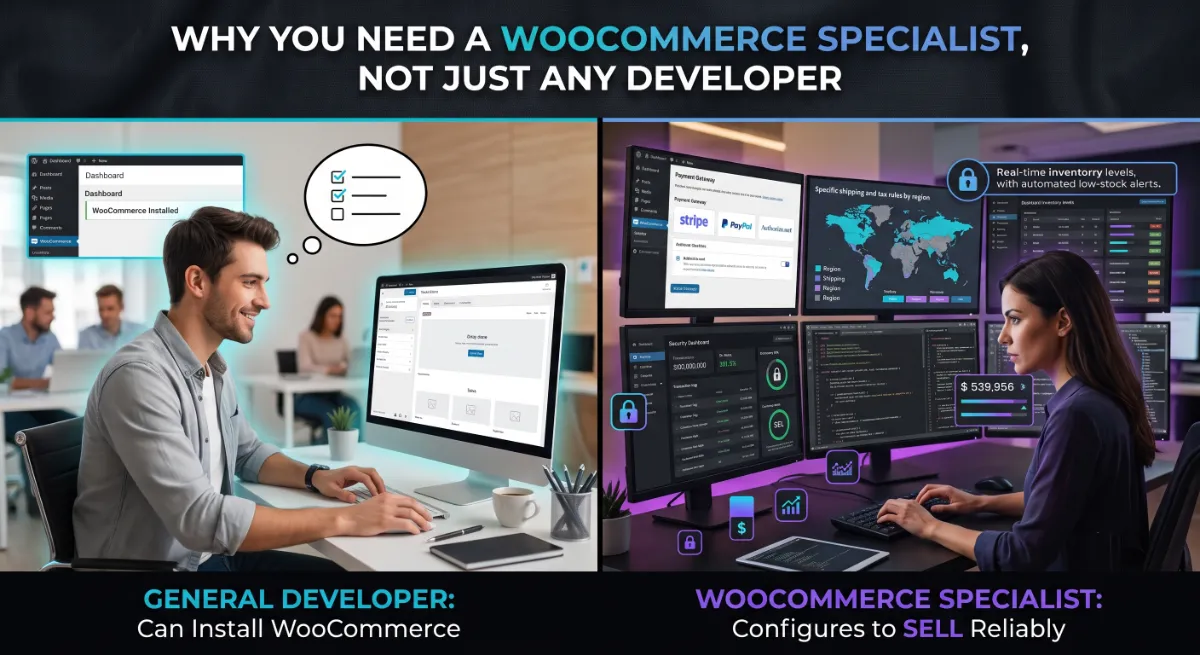
Consider what has to work perfectly the moment your store goes live. Payments must clear through the right gateway. Tax has to calculate correctly by region. Shipping rules need to match your carriers. Stock has to sync so you never sell what you do not have, and every one of those touches customer money, which makes security non-negotiable.
A general developer juggling all of this for the first time is learning on your revenue, which is exactly why a WooCommerce developer specialist is worth the fee.
The stakes are highest at checkout, because that is where money is won or lost. Industry research from the Baymard Institute puts average cart abandonment at around 70%, and the top causes are avoidable: unexpected shipping costs, forced account creation, and a checkout that is too long. A WooCommerce specialist knows to design against those specific failures. A generalist usually does not know they exist.
Pro tip: Ask a candidate, “How would you reduce cart abandonment at checkout?” A WooCommerce specialist will name guest checkout, transparent shipping, and speed instantly. A generalist will pause.
Once you understand why the specialism matters, it helps to see exactly what that developer builds for you.
What a WooCommerce Developer Actually Builds
A WooCommerce developer builds far more than a product catalogue. They configure and customise the full commerce engine: product pages, cart, checkout, payment gateways, shipping and tax logic, order management, and the performance and security layers that keep it all running under real traffic.
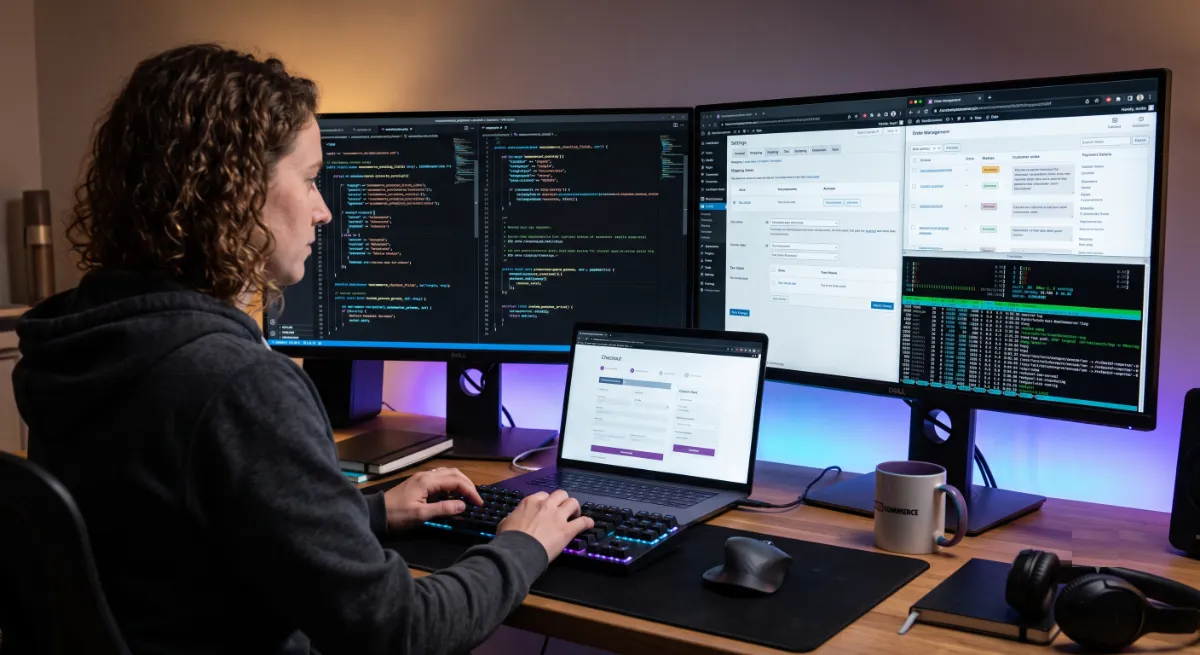
A complete store build usually covers these components:
- Product setup: simple, variable, and grouped products, with clean images, descriptions, and categories.
- Checkout and payments: a streamlined checkout wired to the right gateways, such as Stripe or PayPal, with guest checkout enabled.
- Shipping and tax: live carrier rates or flat rules, plus correct tax by region, so orders total correctly.
- Performance: caching, image optimisation, and clean code, because store speed directly affects sales.
- Security: SSL, secure payment handling, and hardening, since a store processes sensitive customer data.
Performance deserves special attention here. More than 60% of store traffic is now mobile, and mobile shoppers abandon slow carts at even higher rates. A store that loads quickly on a phone is not a nice-to-have; it is a direct revenue lever. This is why a good developer treats store speed optimization as part of the build, not an afterthought.
All of this capability has a price, and knowing the real ranges protects you from both overpaying and underbudgeting.
What It Costs to Build an Online Store in 2026
A basic WooCommerce store costs $3,000 to $8,000 in 2026, a custom store with bespoke design and integrations runs $8,000 to $25,000 or more, and enterprise builds go well beyond that. On top of the build, budget for hosting, premium extensions, and ongoing maintenance.
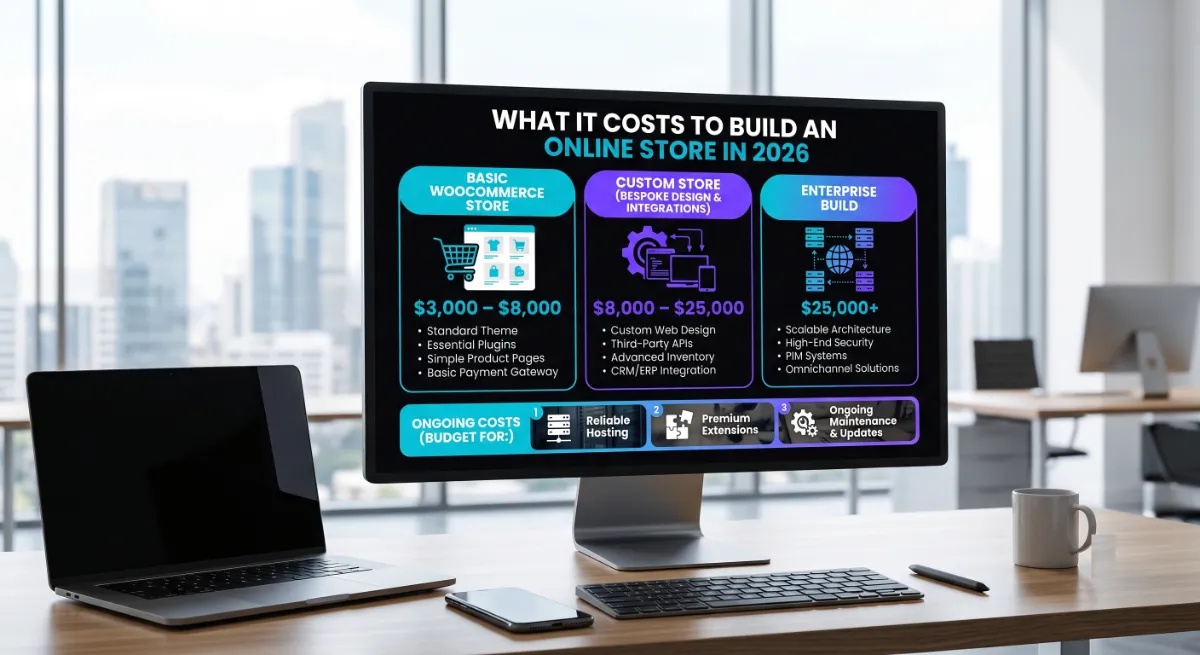
Here are the realistic 2026 ranges for common store projects:
- Basic store: $3,000–$8,000. A premium theme, WooCommerce configuration, payment setup, and a small catalogue.
- Custom store: $8,000–$25,000+. Bespoke design, custom features, and several integrations.
- Complex or enterprise store: $25,000–$100,000+. Headless builds, ERP or CRM integrations, and high-traffic engineering.
WooCommerce itself is free, which trips up a lot of first-time store owners. The plugin costs nothing, but the store does: hosting, a domain, premium extensions for shipping or subscriptions, and payment gateway fees all add up. A quote that ignores these is not cheaper, it is incomplete. As one 2026 WooCommerce pricing guide notes, a developer who quotes without asking about your integrations is either guessing or planning change orders later.
Pro tip: Ask for a fixed price against a written scope that lists every integration by name. Vague e-commerce scopes are where budgets quietly double.
Want a clear number for your store?
See transparent WooCommerce pricing with no discovery call required. View pricing or explore our WooCommerce development service.
Cost naturally leads to the bigger decision: what kind of developer should you actually hire?
Who to Recommend: Freelancer, Studio, or Agency?
For most online stores, the best recommendation is a senior independent WooCommerce developer or a small studio, rather than the cheapest freelancer or a large agency. A store is a revenue system, so you want proven e-commerce expertise and real accountability without paying for layers you do not need.
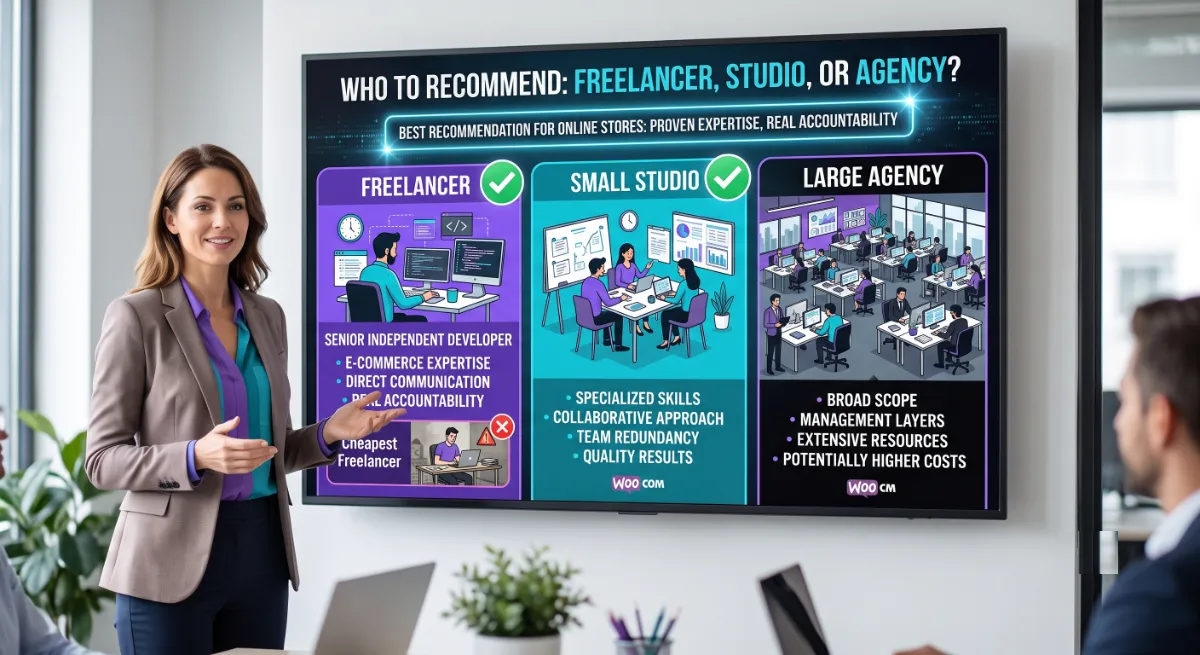
The trade-offs sharpen when money is flowing through the site. A lone budget freelancer is affordable but a single point of failure; if they vanish mid-build or after launch, your revenue channel is stranded. A large agency brings a full team but bills you for project managers and overhead a mid-sized store rarely needs. A senior independent or small studio sits in the reliable middle: specialist e-commerce skill, direct communication, and one accountable person who owns your store’s success.
Because a store is business-critical, reliability matters even more than on a standard site. It is worth vetting for dependability specifically, which our guide on finding a reliable WordPress developer covers in depth, alongside the broader framework in our guide on who to hire to build a custom site. Both apply directly to hiring for e-commerce.
Whichever route you choose, the same seven checks confirm whether a specific candidate can be trusted with your store.
7 Checks Before You Hire a WooCommerce Developer
Before you hire a WooCommerce developer, run these seven checks. Each targets a real e-commerce failure point, and together they separate a true store specialist from a general developer hoping to learn on your project.
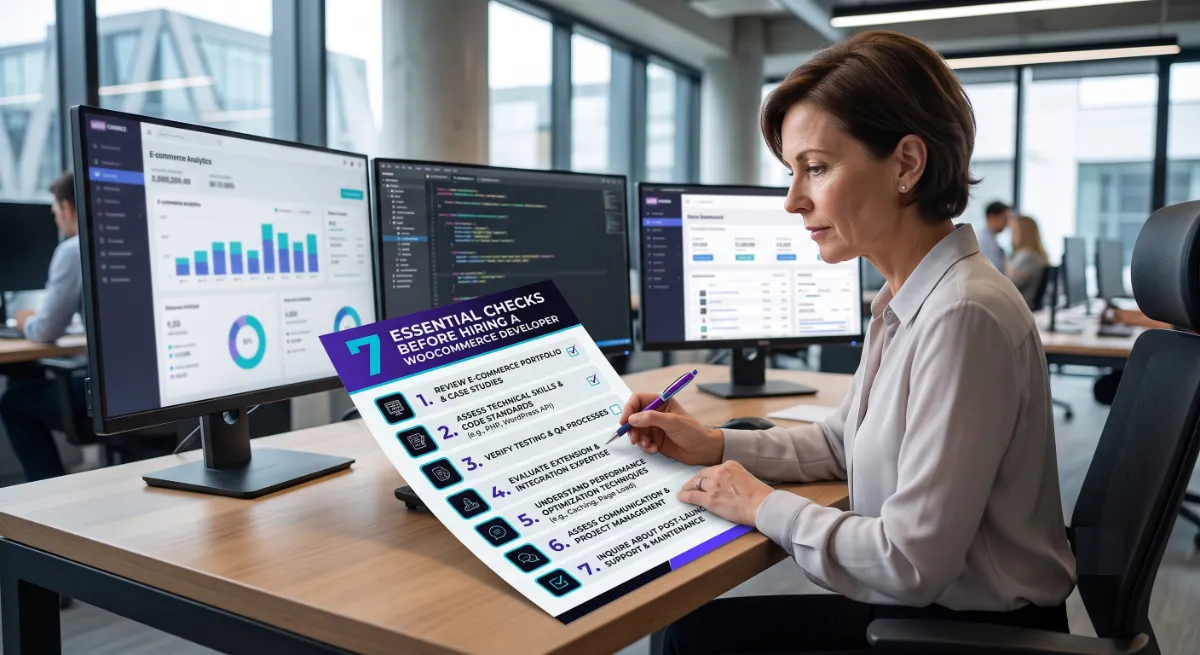
- Live stores you can buy from. Ask for real WooCommerce stores they built, then test the checkout yourself on your phone.
- Checkout and payment experience. Confirm they have wired real gateways and can talk fluently about reducing cart abandonment.
- Mobile speed. Run their store examples through a speed test. Most shoppers are on mobile, and slow stores lose them.
- Integration experience. Ask about the specific tools you need, such as shipping carriers, subscriptions, or your CRM.
- Security practices. A store handles customer payment data, so confirm SSL, secure checkout, and hardening are standard for them.
- A fixed quote against written scope. Every integration named and priced, so there are no surprise change orders.
- A clear support plan. A store cannot afford downtime, so confirm who fixes issues after launch and how fast.
These WooCommerce developer checks matter because a store is unforgiving. A broken checkout does not just look bad; it stops sales instantly. Verifying real e-commerce experience up front is far cheaper than discovering the gap after your launch.
Pro tip: The single most revealing test is to complete a full test purchase on a store they built. If their own checkout is slow or clunky, yours will be too.
Alongside the green flags, a few warning signs reliably predict trouble with an e-commerce project.
Red Flags When Hiring for an Online Store
The clearest red flag when hiring a WooCommerce developer is someone who treats your store like a standard website, with no live e-commerce work to show and no fluent answers on checkout, payments, or security. E-commerce mistakes cost real money, so these signals deserve extra caution.
Watch for these specific warnings:
- No live stores to test, only brochure sites or screenshots. You cannot verify store skill without a real checkout to try.
- Vague answers on payments and security, which is alarming when your store handles customer card data.
- They ignore mobile. With most shoppers on phones, a developer who does not lead with mobile speed is a risk.
- A quote with no integration questions. If they price your store without asking what it connects to, expect change orders.
- No post-launch plan. A store needs ongoing care, and silence here signals the disappearing-developer risk.
Avoid those traps, and one final step makes the whole hire go smoothly: a sharp brief.
How to Brief a WooCommerce Developer
Brief a WooCommerce developer with a one-page summary of what you sell, how many products, which payment and shipping methods you need, and every tool the store must integrate with. E-commerce quotes are only comparable when everyone is pricing the same clearly defined store.
- Describe your products: how many, and whether they are simple, variable, subscription, or digital.
- List payment and shipping needs: your gateways, your carriers, and any regional tax requirements.
- Name every integration: CRM, email marketing, accounting, or inventory tools the store must connect to.
- State your design direction: custom, semi-custom, or theme-based, with any brand guidelines you have.
- Set a budget range and launch date, so a developer can scope honestly against reality.
That integration list is the part most store owners forget when briefing a WooCommerce developer, and it is the biggest driver of surprise costs. Every connection to an outside system is real work. Naming them up front turns vague quotes into precise, comparable ones, and reveals which developer actually understands e-commerce.
Pro tip: Send the same one-page brief to three WooCommerce developers, then compare the questions they ask. The one who asks sharpest about your integrations understands stores best.
Use the quick tool below to see which type of WooCommerce build fits your store, then take your brief to your shortlist.
Ready to build a store that actually sells?
Tell us what you are selling and what it needs to connect to. You will get a fixed quote and a developer who specialises in stores. Start the conversation.
Frequently Asked Questions
Can you recommend a WooCommerce developer to build my online store?
For most businesses, the best choice is a senior independent WooCommerce developer or a small studio that specialises in e-commerce, with live stores you can test and a clear support plan. Ask to complete a real test purchase on a store they built, and confirm they handle payments, mobile speed, and security fluently. Our WooCommerce development service is built for exactly this.
How much does it cost to build a WooCommerce store in 2026?
A basic WooCommerce store costs $3,000 to $8,000, a custom store with bespoke design and integrations runs $8,000 to $25,000 or more, and enterprise builds exceed that. WooCommerce itself is free, but budget for hosting, premium extensions, payment fees, and ongoing maintenance, which a complete quote should include.
Do I need a WooCommerce specialist or will any WordPress developer do?
For a real store, hire a specialist. An online store has failure points a normal site does not, including payment gateways, checkout flow, tax and shipping logic, and security around customer money. A general developer can install WooCommerce, but a specialist configures it to sell reliably and safely.
How do I know if a WooCommerce developer is any good?
Ask for live stores you can buy from, then complete a test purchase on your phone. Check the checkout experience, mobile speed, and whether they discuss cart abandonment, payments, and security fluently. Real store experience shows immediately, since a specialist’s own checkouts are fast and frictionless.
How long does it take to build a WooCommerce store?
A basic WooCommerce store usually takes three to six weeks, while a custom store with integrations can run two to four months. Timelines depend heavily on product count, integrations, and how ready your content is, so prepare product data and images before the build begins.
Why is checkout so important for a WooCommerce store?
Because cart abandonment averages around 70%, and most of it happens at checkout. Unexpected shipping costs, forced account creation, and a long or slow checkout drive buyers away. A WooCommerce developer who designs a fast, transparent, guest-friendly checkout directly protects your sales.
Is WooCommerce a good platform for my online store?
For most businesses, yes. WooCommerce powers roughly a third of all online stores, is open-source and flexible, and lets you own your data and design rather than renting them from a closed platform. It is especially strong when your site already runs on WordPress or you want full control over customization.
Conclusion
When you want to recommend a WooCommerce developer to build your online store, the real recommendation is to hire an e-commerce specialist, not a general WordPress developer. A store lives on checkout, speed, payments, and security.
So vet on live stores you can buy from, budget realistically for a build that starts around $3,000, and choose a developer accountable enough to still be there when a checkout breaks. Do that, and you get a store that actually sells, not just one that looks the part. Complete a test purchase on their work, and you will know within minutes whether they are the one.
Want a WooCommerce store built by a specialist?
Bring us your products and your integration list. We will give you a fixed quote and a store designed to convert. Get started today.
This article was last reviewed and updated in {{UPDATED}} to reflect current 2026 WooCommerce store costs and e-commerce hiring best practices.